Your smurf, with your main's settings.
Copy every Dota 2 setting and hotkey from one Steam account to another in one click. No more rebinding everything by hand.
Download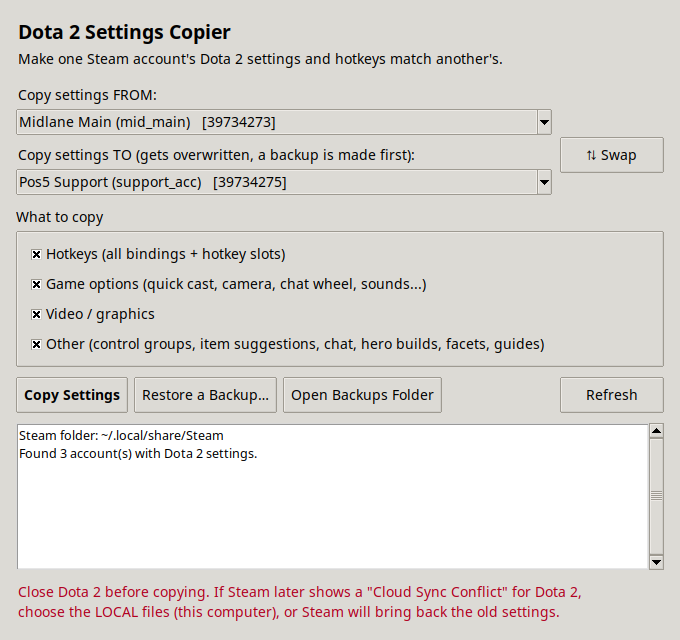
Everything carries over
Pick what to copy. Everything is ticked by default.
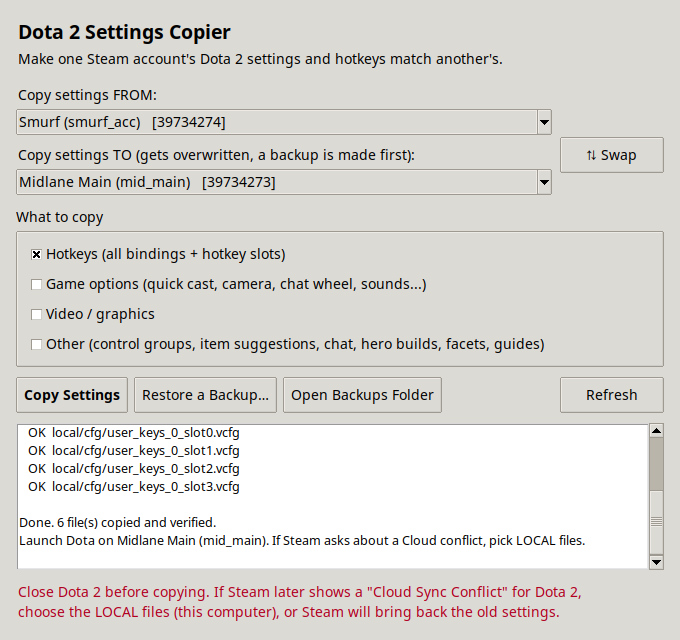
Hotkeys
Every binding, including all four hotkey slots.
Game options
Quick cast, camera speed, chat wheel, sounds and every other option.
Video & graphics
Resolution, quality and the rest of your display settings.
Builds & more
Control groups, item suggestions, chat settings, hero builds, facets and guides.
Automatic backups
The account being changed is backed up first. One click restores it.
Private stuff stays put
Match stats, friends, guild data and voice bans are never touched.
How it works
Takes about ten seconds.
- Close Dota 2Steam can stay open. Each account needs to have launched Dota once on this computer.
- Pick FROM and TOYour accounts are found and listed by name automatically.
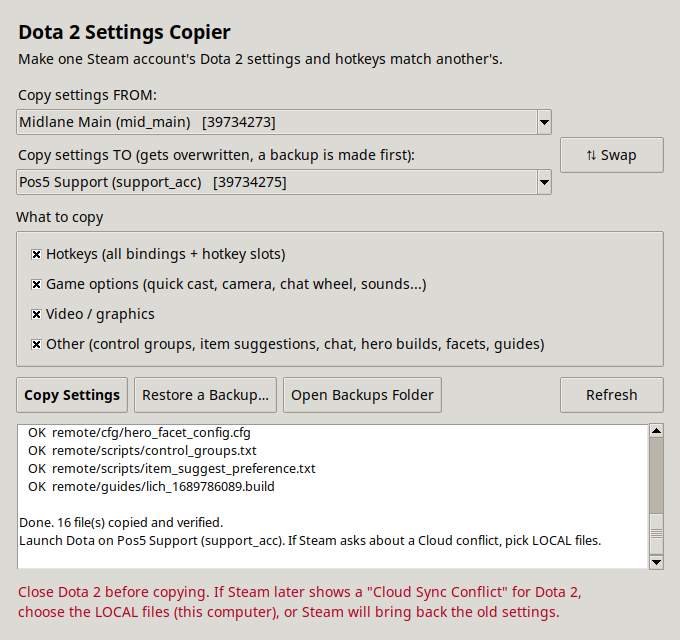
- Click Copy SettingsEvery file is copied and checked. Then log in and play.
Download
Latest version, straight from GitHub.
Windows Your system
Unzip and run DotaSettingsCopier.exe. If SmartScreen appears, click More info, then Run anyway.
macOS Your system
Unzip, then right-click the app and choose Open the first time. It isn't signed by Apple.
Download for macOSLinux Your system
Extract and run: tar -xzf DotaSettingsCopier-linux.tar.gz && ./DotaSettingsCopier